Remove all access rules from a directory

A while ago i needed to write some code that removes all (existing/inherited) access rules from a given directory. It was pretty frustrating to notice that all my attempts seemed to fail (RemoveAccessRule, PurgeAccessRule, …)

Finally i found that SetAccessRuleProtection was the method that i needed to invoke.

const string Folder = @"c:\temp\secured";
var directory = new DirectoryInfo(Folder);
var directorySecurity = directory.GetAccessControl();
directorySecurity.SetAccessRuleProtection(true,false);
directory.SetAccessControl(directorySecurity);
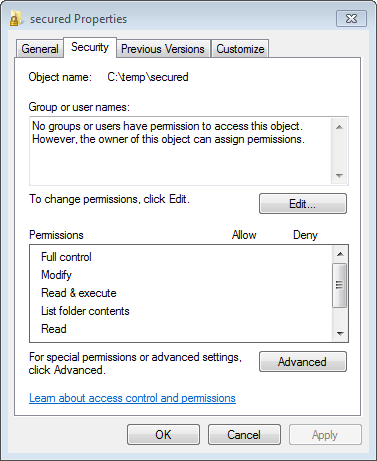
Image of the security properties tab in windows

Image of the security properties tab in windows

There you go ;)

  1. I tried the RemoveAccessRule & frustated.. Finally, I tried this & worked! Great peace of work! Thanks man!

    -Raj

  2. You made my day! I got very frustrated removing each single rule and didn’t manage to remove all at once.
    Great!

  3. I know I’m late to the party, but after almost 3 hours of failed attempts, I found this and it worked like a charm.

    Thank you very much, you saves my sprint task! :P

Leave a Comment


NOTE - You can use these HTML tags and attributes:
<a href="" title=""> <abbr title=""> <acronym title=""> <b> <blockquote cite=""> <cite> <code> <del datetime=""> <em> <i> <q cite=""> <strike> <strong>